
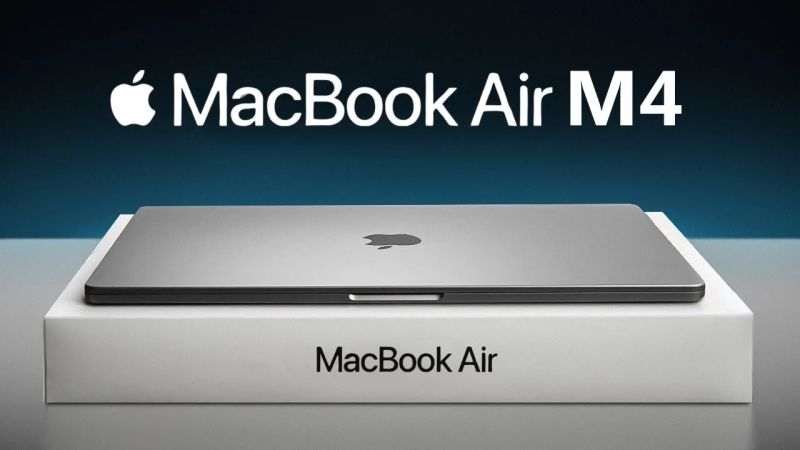
After using the MacBook Air M4 intensively for around a month—both as a secondary machine and, at times, as a primary work device—it becomes clear what this laptop truly offers in everyday use. This review focuses on real-world performance, not marketing claims, especially from the perspective of users transitioning from Windows to macOS and creatives curious about Apple Silicon’s practical capabilities.
This article covers video editing performance, thermal behavior, input experience, portability, display quality, battery life, ecosystem advantages, macOS limitations, and overall value.
Video Editing Performance: Surprisingly Capable for Its Size
One of the most impressive aspects of the MacBook Air M4 is how well it handles professional workloads despite its fanless, ultra-thin design. Editing 4K footage in DaVinci Resolve with full-resolution preview playback is noticeably smoother than expected. Even when used outdoors without any external cooling, the system remains stable during light to moderate editing sessions lasting around 45–60 minutes.

Render performance is equally impressive. Rendering an eight-minute 4K 8-bit 25fps video with heavy post-processing effects completes in roughly four minutes—comparable to some desktop PCs equipped with discrete GPUs. Given the MacBook Air’s size and passive cooling constraints, this level of performance is objectively strong.
That said, the limitations are real. When used in a desktop-style setup—connected to an ultrawide external monitor and multiple peripherals—the MacBook Air M4 can throttle due to heat buildup. Performance degradation and noticeable lag eventually appear. External cooling solutions can restore stability, but relying on third-party cooling undermines the “it just works” appeal.
The takeaway:
For mobile editing, short creative sessions, and portable workflows, the MacBook Air M4 performs exceptionally well. For sustained, workstation-style workloads, a MacBook Pro or Mac Mini remains the more appropriate choice.
Trackpad and Input Experience
The MacBook Air continues Apple’s reputation for industry-leading trackpads. Precision, gesture recognition, responsiveness, and reliability are outstanding—so much so that video editing using the trackpad alone is genuinely viable. Even long-time Windows users will immediately notice the difference in accuracy and consistency.
However, there is a notable usability drawback. macOS unifies scrolling behavior between the trackpad and external mouse. Without high-quality mouse software (such as Logitech Options) or third-party utilities, users cannot configure scrolling behavior independently. Those using inexpensive mice with limited software support may find this particularly frustrating.
Thermals, Throttling, and the Reality of Passive Cooling
Passive cooling works remarkably well for short, burst-style workloads. However, prolonged use with multiple displays and connected peripherals exposes its limitations. Under sustained load, the MacBook Air M4 does throttle, resulting in reduced performance and visible lag.
This laptop excels as a portable performance machine, but it is not designed to replace a permanent desktop workstation. Users planning extended sessions with external monitors should strongly consider Pro-series devices.
Form Factor, Build Quality, and Portability
Design and portability remain standout strengths. The MacBook Air M4 feels almost weightless in daily carry, maintains an exceptionally slim profile, and delivers premium all-metal build quality. Compared to many Windows laptops in similar price ranges, the refinement, ergonomics, and overall tactile experience remain class-leading.
Display Quality
Despite using an IPS panel instead of OLED, display quality is excellent. Color accuracy is strong, brightness is high, and outdoor usability remains impressive. While the 60Hz refresh rate may feel dated compared to high-refresh competitors, it aligns with the MacBook Air’s productivity-focused positioning.
OLED panels offer deeper blacks and higher contrast, but burn-in risks and Apple’s conservative design philosophy likely explain their absence in the MacBook Air lineup.
Battery Life: A Major Advantage
Battery endurance is one of the MacBook Air M4’s strongest selling points. Even when compared to modern Intel Core Ultra EVO-certified laptops, Apple Silicon efficiency remains in a league of its own. For users prioritizing all-day productivity without charging anxiety, this laptop is among the best options available.
Ecosystem Experience
For users already invested in the Apple ecosystem, integration remains a major advantage. AirDrop alone represents a meaningful quality-of-life improvement, offering faster and more reliable file transfers than most cross-platform Wi-Fi alternatives. These ecosystem features genuinely streamline daily workflows rather than serving as superficial conveniences.
macOS Frustrations and Practical Limitations
macOS has clear strengths, but it is far from flawless—especially for users transitioning from Windows.
Key frustrations include:
- Finder’s unintuitive organization and lack of structured snapping
- Limited default window management without third-party tools
- Unified mouse and trackpad behavior
- Inconsistent ultrawide resolution scaling
Many features considered “basic” on Windows require additional software on macOS. While macOS is not objectively worse, it follows different design priorities that may feel restrictive to power users accustomed to Windows flexibility.
Storage Considerations
The base 256GB storage option can be sufficient for users relying on external SSDs, especially in video editing workflows. However, users with large software libraries or extensive media collections should strongly consider higher-capacity configurations.
Final Verdict
The MacBook Air M4 is an exceptionally capable lightweight laptop with performance that defies its thin, fanless design. It handles professional workloads surprisingly well, offers outstanding battery life, delivers premium build quality, and benefits significantly from Apple’s ecosystem.
However, it is not without compromises. Thermal throttling under sustained desktop-style use, reliance on third-party macOS utilities, and an adjustment period for Windows users are all real considerations.
For users seeking a highly portable, battery-efficient productivity and light-to-medium creative machine, the MacBook Air M4 is one of the best laptops available.
For those planning heavy sustained workloads, multiple external displays, or full-time editing rigs, a Pro-tier Mac remains the better long-term investment.
Value Score
★★★★☆ (4/5)